Company Watchlist
The Company Watchlist helps you track specific companies and monitor their hiring activities. You can create watchlist entries to view and get automated updates whenever monitored companies post new job listings.
Note Make sure to switch to Business Development from the sidebar before initiating these steps.
ADD New Company Watchlist
Follow these steps to start tracking a company’s hiring activity:
- Click the + Track Company button on the watchlist dashboard.
-
Fill in the Track New Company form, making sure to fill out the required Company Name and LinkedIn URL fields.
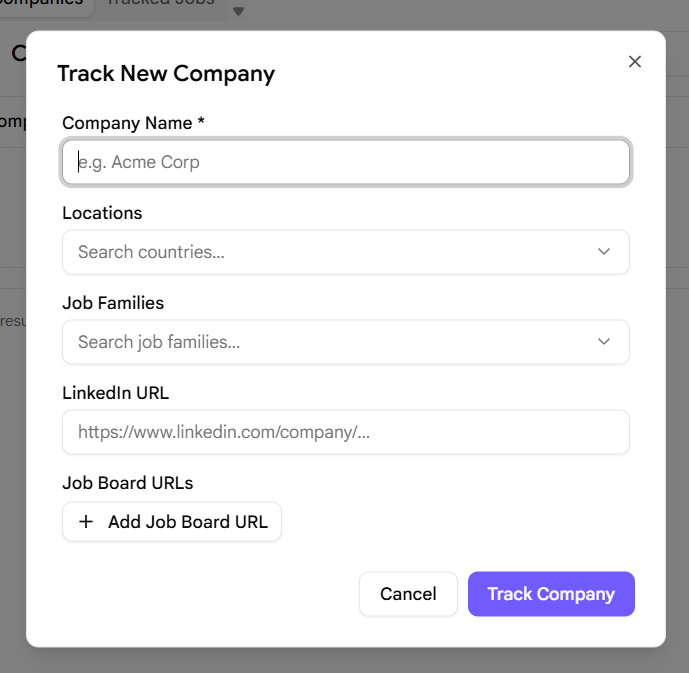
- Click the Track Company button inside the dialog once you have finished.
- The tracked company will now appear in your watchlist table. Please wait a brief moment for status confirmation.
- Once confirmed, automated email updates will be sent directly to your inbox whenever new job listings are posted by that company.
Pro BD Tip
Keep your watchlist focused on your top-priority prospect accounts. Tracking too many companies at once can cause alert fatigue, so review and prune your watchlist regularly.