Client and Prospect Companies
Scout lets you easily manage your relationships with both clients and prospects. You can view comprehensive details for each company, add associated contacts, and track all interactions in one centralized place.
Note Make sure to switch to Business Development from the sidebar before initiating these steps.
ADD New Company/Prospect
Follow these simple steps to add a client or prospect company to your list:
- Click the + New button in the top right corner of the company list page.
-
Fill in the required fields in the Create Employer form, such as Company Name and LinkedIn URL.
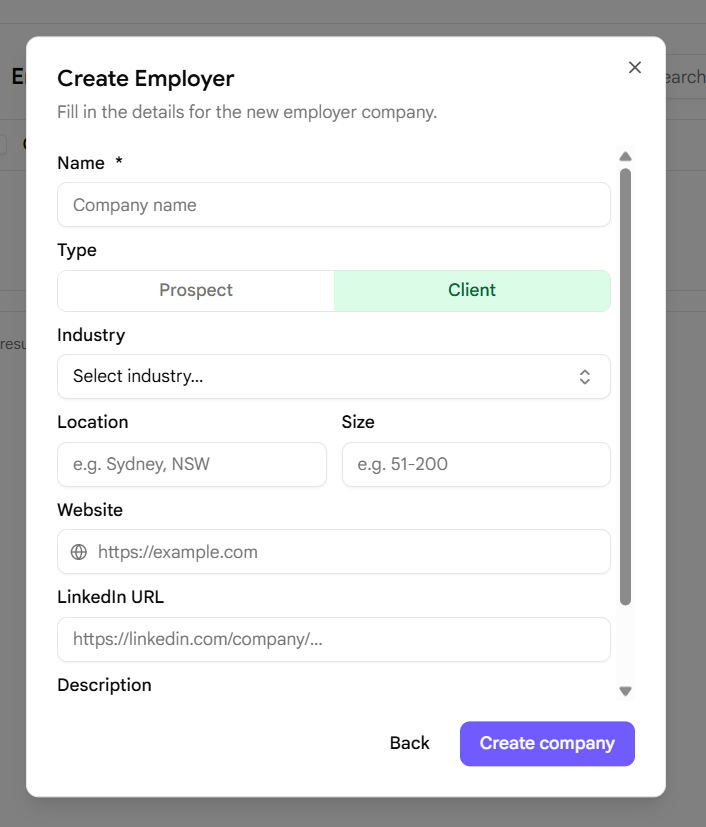
- Search for the company in our database or choose to create a new company manually if it doesn’t appear.
- Choose the organization Type, selecting either Client or Prospect.
- Click the Create Company button inside the form to save the new profile.
- Your new company will now appear in the correct section:
- Clients can be found under the Clients > Companies page.
- Prospects can be found under the Business Development > Companies page.
EDIT Company Detail
Keep your records accurate by updating company information whenever needed:
- Go to the desired company detail page by clicking the name of the company in the table list.
- Click the Edit button on the details card.
-
When the edit dialog appears, update the fields with the new information.
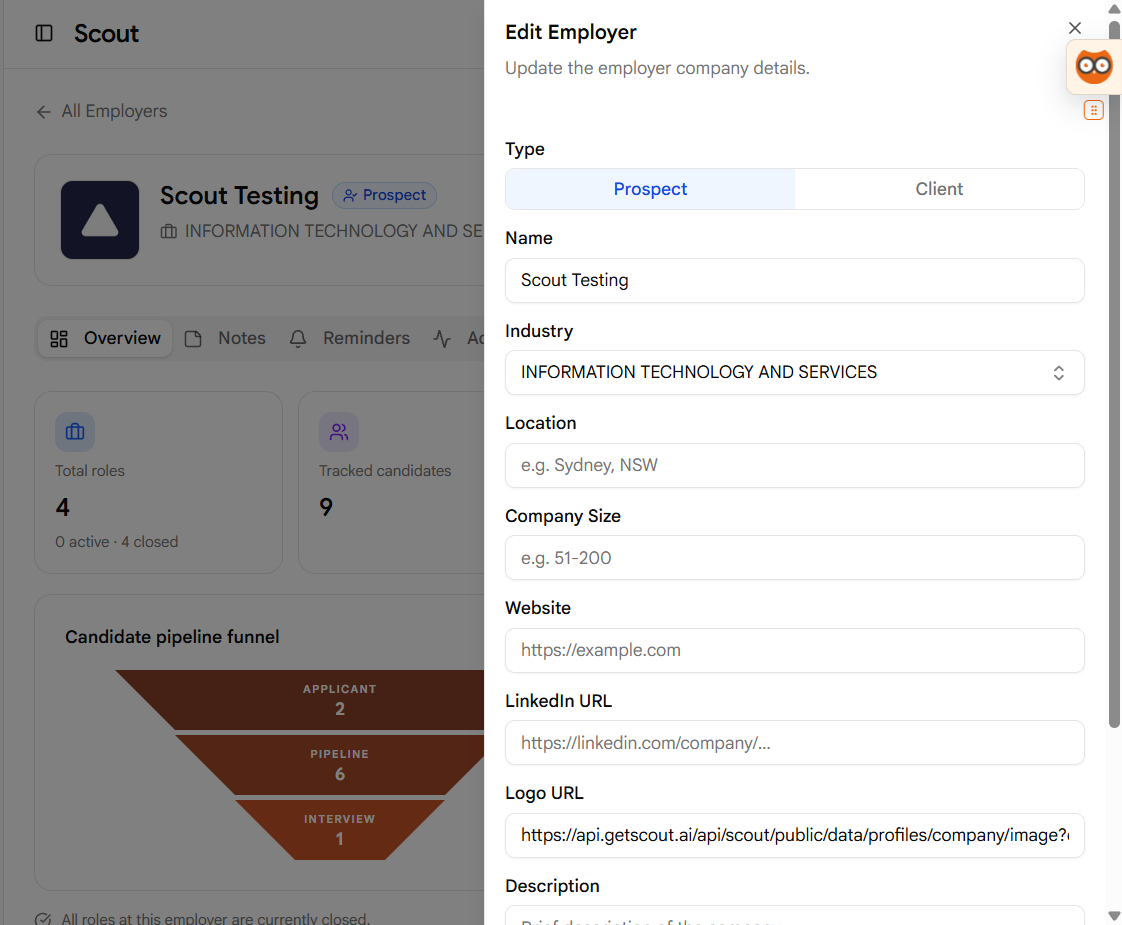
- Click the Save Changes button once you are finished making your updates.
- The dialog will automatically close, and your updated information will display immediately on the company page.
ADD New Contact for the Company
You can link individual contacts directly to their parent company:
- Go to the desired company detail page by clicking the name of the company in the table list.
- Open the Contacts tab on the company’s profile page.
- Click the + New Contact button.
-
Fill in the required fields in the dialog form, including the contact’s Name.
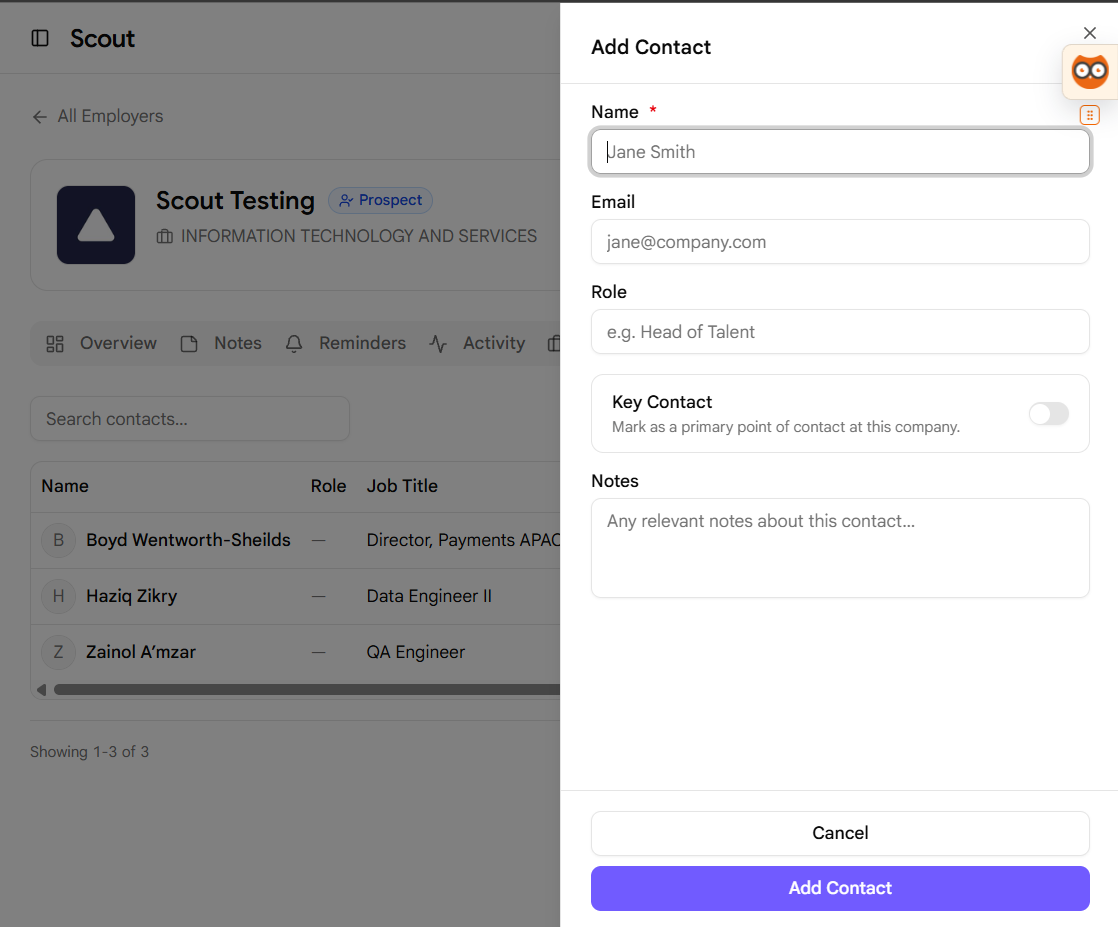
- Click the Add Contact button inside the dialog form to save.
- The new contact will now appear in the Contacts list for this company.
Pro BD Tip
Make sure to fill in the correct LinkedIn URL for the company. Scout uses this link to automatically enrich the profile with hiring stats, employee count, and recent updates.