Candidate Deduplication
As you source candidates from different channels, duplicate profiles may occasionally appear in your database. Scout’s Candidate Deduplication tool helps clean up your candidate lists by identifying potential duplicates and allowing you to selectively merge their details.
MERGE Duplicate Candidates
Clean up duplicate database entries to keep candidate tracking clean:
- Click on the desired candidate name in the deduplication list to review potential duplicates.
-
The row will expand below to show the conflicting profile details. Check the boxes next to the duplicated candidate information you wish to combine.
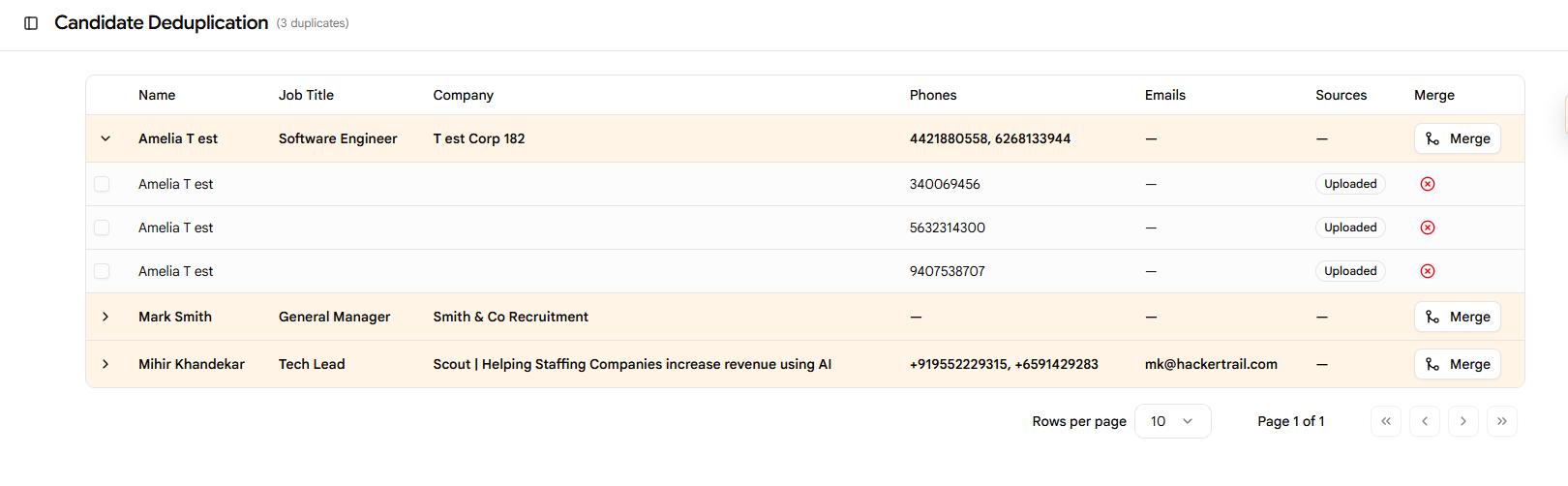
- Click the Merge button.
-
The Profile Merge Preview screen will open. Check each field (such as email, phone, experience, and education) to select which information to keep, and review the final profile layout in the Merged Preview pane.
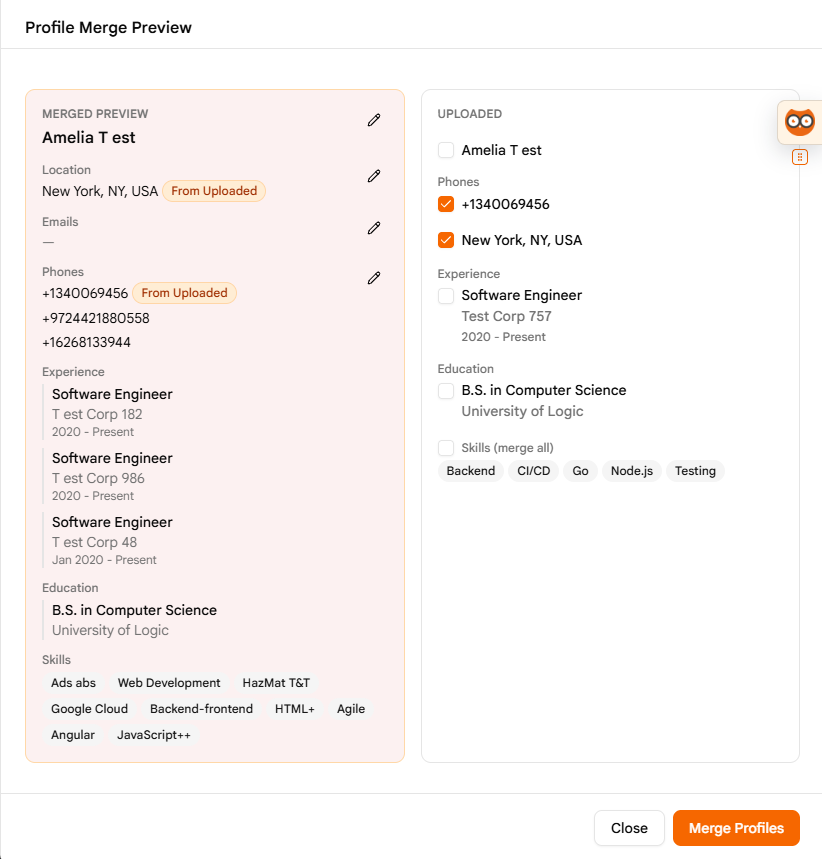
- If all the information in the preview looks correct, click the Merge Profiles button to finalize the merge.
- Review the merged candidate information inside the Talent Map. For details on how to navigate the map, refer to the Talent Map documentation.
Pro Sourcing Tip
Before merging, verify unique identifiers like personal email addresses or phone numbers. This prevents accidentally merging two distinct candidates who happen to share the same name.